
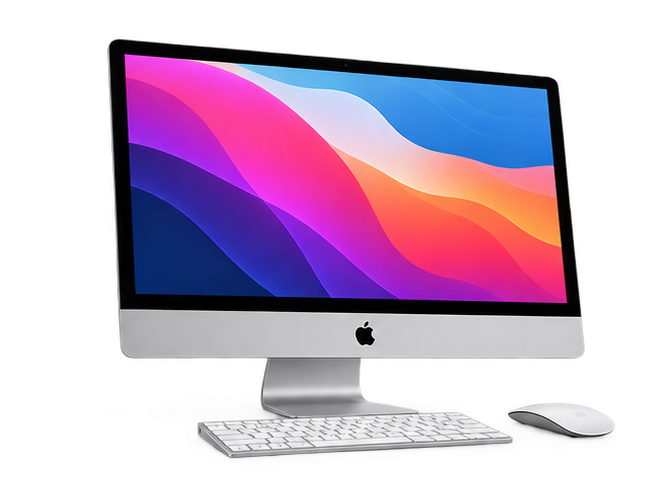
How to Keep Your iMac Running Smoothly
An iMac can be an excellent choice for work, creativity, entertainment and everyday computing. With regular maintenance and sensible usage habits, you can help keep your iMac responsive and reliable.
Over time, however, storage can fill up, applications can become demanding and software problems may begin to affect performance.
Here are some practical ways to maintain your iMac.
1. Keep macOS Updated
Software updates can include security improvements, bug fixes and performance enhancements.
Keeping your iMac updated helps ensure that your system has the latest compatible improvements.
Before performing a major update, it is always a good idea to make sure your important data is backed up.
2. Keep Enough Storage Available
A nearly full storage drive can affect overall system performance.
Review your files regularly and remove items you no longer need. Large videos, duplicate files, old downloads and unused applications can consume significant storage space.
Keeping your storage organised can make everyday maintenance easier.
3. Remove Unnecessary Applications
Applications that you no longer use can take up storage and may sometimes run background processes.
Review your installed applications and remove those you no longer need.
Only remove applications when you are confident that they are not required by the system or another application.
4. Manage Startup Applications
Some applications automatically launch when you start your iMac.
Having too many startup applications can increase the time required for the system to become ready.
Review your login items and disable unnecessary applications from launching automatically.
5. Keep Your iMac Clean
Dust can accumulate around vents and other areas of your computer.
Keeping the exterior and surrounding workspace clean can help maintain good airflow and reduce unnecessary dust buildup.
Avoid using excessive moisture or unsuitable cleaning products around your iMac.
6. Watch for Overheating
An iMac should not consistently become unusually hot during normal everyday use.
If you notice excessive heat, unusual fan activity or sudden performance slowdowns, there may be an underlying issue.
Possible causes can include dust buildup, demanding applications or internal hardware problems.
7. Pay Attention to Unusual Sounds
Unexpected noises, repeated fan activity or other unusual sounds should not be ignored.
They may indicate a cooling, storage or hardware-related problem.
If unusual behaviour continues, professional diagnosis can help identify the cause.
8. Back Up Your Important Data
Regular backups are one of the most important parts of maintaining any computer.
Important documents, photos, videos and work files should be backed up regularly.
A backup can be extremely valuable if your iMac experiences a hardware failure or another unexpected problem.
9. Don’t Ignore Performance Changes
If your iMac gradually becomes slower, freezes frequently or experiences unexpected restarts, do not simply assume that it is because of age.
Performance issues can have different causes, including software conflicts, storage problems, overheating or hardware faults.
A professional diagnosis can help identify the actual cause.
Common iMac Problems That May Need Professional Repair
Some problems are better handled by an experienced technician, including:
- iMac not turning on
- Slow or unstable performance
- Display problems
- Storage-related issues
- Overheating
- Wi-Fi or connectivity problems
- macOS errors
- Unexpected shutdowns
- Hardware failures
Professional iMac Repair in Chandigarh
At Mac Care Centre, we provide professional Apple device diagnosis and repair services in Chandigarh.
Our team can help identify iMac problems and recommend an appropriate repair or servicing solution based on the device’s condition.
Keep Your iMac Working at Its Best
Regular maintenance can prevent many avoidable problems, but when something goes wrong, getting the right diagnosis is important.
If your iMac is running slowly, overheating, failing to start or experiencing another issue, contact Mac Care Centre for professional assistance.