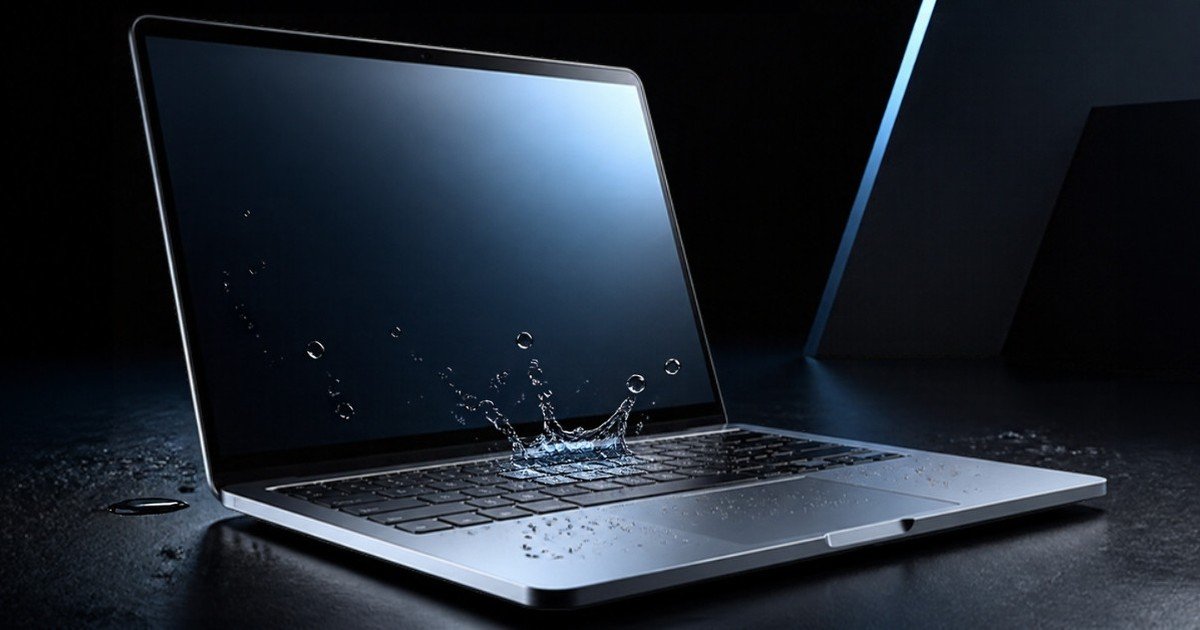
It usually starts with a cup of chai on the desk, a water bottle in the laptop bag, or a child reaching across the table. A few seconds later there is liquid on the keyboard and a very quiet room. MacBook water damage is one of the most common things that comes across our bench in Sector 9, and the good news is that a lot of these laptops can be saved. What you do in the first hour matters more than almost anything we do later.
Here is what we would tell you if you called us in a panic.
What to Do in the First Few Minutes After a Spill
Speed beats everything here. Water on its own is not the main enemy. The real problem is electricity flowing through a wet circuit board, and the corrosion that slowly builds up afterwards. So the goal is simple: cut the power and get the liquid out before it travels further.
Here is the order we recommend:
- Unplug the charger first, then hold the power button for about ten seconds until the MacBook switches off. Do not wait to save your work.
- Unplug everything else: USB drives, hubs, headphones, external displays.
- Open the lid as wide as it goes and turn the laptop upside down in a tent shape, keys facing the table, so liquid can drain out of the keyboard instead of sinking toward the logic board.
- Gently blot the keyboard, trackpad and the outside with a soft, lint free cloth or kitchen towel. Blot, do not wipe, so you are not pushing liquid into the gaps.
- Leave it switched off and get it to a technician as soon as you can, ideally the same day.
That is it. Anything beyond this, at home, usually does more harm than good.
What Not to Do (We See These Mistakes Every Week)
Do not switch it back on to “check”
This is the big one. A MacBook that still works right after a spill feels like a lucky escape, so people turn it on, see the Apple logo, and carry on. Then two days later it dies. When you power it on while it is still wet, current runs through places it should never reach and can burn out small components on the board. A machine that might have needed only a clean can end up needing a much bigger board repair.
Do not charge it
Plugging in the charger is the same as switching it on as far as the board is concerned. The charging circuit is often the first part we find damaged after a spill, because people plug in to see if it “comes back”.
Do not use a hair dryer or put it in the sun
Hot air can warp plastic parts and push moisture deeper inside. Room temperature and patience are safer.
Rice does not fix it
The rice trick is everywhere, but rice does not pull liquid out from under the logic board or the battery, and it does nothing about the minerals and sugar that liquid leaves behind. Fine rice dust can also get into the ports and the fans. Your time is better spent getting the laptop to someone who can open it.
Why MacBook Water Damage Gets Worse Over Time
Most customers are surprised that a MacBook can work fine for a week after a spill and then suddenly refuse to turn on. Here is what is happening inside. Our tap water and most drinks contain minerals. Tea and coffee add sugar and milk, and fruit juice adds acid. Once the water evaporates, those leftovers sit on the board, and with power and humidity they start to corrode tiny solder joints and connectors.
That is why we always say: even if your MacBook seems fine, get it opened and checked. Cleaning a board before corrosion spreads is far simpler than repairing one after it has eaten through a connection.
Signs the Liquid Has Reached the Inside
Not every spill gets inside. A few drops wiped off the lid quickly are usually harmless. But if you notice any of these, liquid has almost certainly gone further than the keyboard surface:
Keys that feel sticky, repeat on their own or stop working is the most common sign, and tea spills are the worst for this. Next is a trackpad that does not click or behaves erratically. Some laptops start but the screen stays black, shows lines, or flickers. Others will not charge, or the charger light behaves strangely. Fans may run loudly for no reason, or the laptop shuts down at random. And sometimes it simply will not turn on at all.
Current Mac laptops also carry small liquid contact indicators inside, which change colour when they touch liquid. Apple uses these to see whether a machine has been exposed, so a technician opening the case will usually know quickly where the liquid went.
Is It Covered by Apple Warranty?
This is the question we get most often after “can you save it”. Apple’s support documentation states that liquid damage to Mac computers is not covered by the standard one year limited warranty. If you bought an AppleCare plan that includes accidental damage protection, that may help, usually with a service fee, so check your own plan terms before deciding where to take it.
To be clear, Mac Care Centre is an independent repair specialist and not an Apple Authorised Service Provider. If your MacBook still has active Apple coverage, we will tell you that before we touch anything, so you can choose.
What Happens When You Bring It In
When a spilled MacBook comes in, we do not start by switching it on. We open it, disconnect the battery, and look at exactly where the liquid travelled. Then the logic board is cleaned to remove residue and corrosion, connectors are checked under magnification, and we test the board before reassembly.
Sometimes cleaning is all it needs. Sometimes a few small components on the board have failed and we replace them at component level, which costs much less than a whole new board. In worse cases the keyboard, trackpad, display or battery has also been affected. Either way, you get a clear quote after diagnosis, and nothing starts without your approval. Every repair comes with a written warranty on the part and our work. You can see what we cover on our MacBook repair services page.
If your data matters most, tell us at the start. On most liquid jobs we protect the data first, and we will explain any risk honestly before we proceed.
What Affects the Repair Cost
We do not quote blind over the phone for liquid damage, because two spills that look the same can be very different inside. The things that decide the cost are:
What was spilled. Plain water is the kindest. Tea, coffee, soft drinks and juice leave sticky or acidic residue that takes more work.
How long it sat. A MacBook brought in within a day usually needs far less than one that was used for a week after the spill.
Whether it was powered on while wet. This is often the difference between a cleaning job and a board repair.
Which parts were hit. Keyboard only, board only, or board plus display or battery.
Your model and parts availability. Newer Apple silicon models and older Intel models need different parts and different work.
Apple News This Week (10 November 2026)
Apple released macOS Golden Gate 27.2.1 on 9 November, alongside iOS and iPadOS 27.2.1. It brings bug fixes and security updates only, including fixes for Messages, AirPlay and Bluetooth, and no new features. One tip from the bench: never run a software update on a MacBook that has just had a spill. Get it checked and dried properly first, then update once it is stable.
Apple’s new 14 and 16 inch MacBook Pro models, including the first versions with an OLED touchscreen, went on sale on 6 November in the first launch markets. If a spill has you weighing repair against replacement, it is worth knowing what has just arrived, but a proper diagnosis usually comes first. Many spilled MacBooks are well worth repairing.
Help for Chandigarh, New Chandigarh and Dera Bassi
Our centre is at SCO 22 and 23 (Basement), Sector 9D, Madhya Marg. For customers in the city, our page on liquid damage repair in Chandigarh lists the MacBook repairs we do and typical turnaround times. If you live further out, we regularly help people from MacBook repair in New Chandigarh and Apple repair in Dera Bassi.
Not sure whether your problem is liquid at all? Our guide to common MacBook problems covers other reasons a MacBook stops charging or will not turn on.
FAQs About MacBook Water Damage
My MacBook still works after the spill. Do I need to do anything?
Yes, ideally. Residue left inside can corrode the board over the following days or weeks, so a working laptop today can fail later. A quick opening and inspection costs much less than a board repair down the line.
How long should I wait before turning it on?
There is no safe waiting time we can promise, because the liquid may be trapped under shields and the battery where it will not dry. The safest option is to keep it off until someone has opened it and checked.
Can a water damaged MacBook be fixed?
Very often, yes, especially if it was switched off quickly and brought in early. Many need only a professional clean. Others need component level board repair or a new keyboard. A small number are beyond economic repair, and we will tell you honestly if yours is one of them.
Will I lose my data?
Not necessarily. On most liquid jobs the storage survives. Tell us if your data is the priority and we will plan the repair around protecting it first.
Is tea or coffee worse than water?
Usually, yes. Sugar and milk leave sticky residue that jams keys and speeds up corrosion, so these spills need faster attention.
Spilled Something? Talk to Us First
If you have just had a spill, switch the MacBook off, keep it off, and give us a call on +91 99150 12293 before you try anything else. We will tell you honestly what to do next. You can also contact Mac Care Centre to book a check. With more than ten years of Apple repairs behind us, we have seen most kinds of spill, and the earlier we see yours, the better the odds.